

Why there are no API keys
Some chat tools ask you to create a WooCommerce API key and paste it in. That key opens every order in full: addresses, phone numbers, payment details, and with write access the power to change your store. miniDesk asks the plugin instead. The plugin runs on your store, answers only the questions miniDesk is allowed to ask, and only ever sends the fields a customer can see in their own account. Nothing else leaves your store.Set it up
1
Install and connect the plugin
Follow Install and connect on
the WordPress page. Once WooCommerce is active, the plugin notices it by
itself.
2
Turn on order lookups
On the miniDesk AI page in your WordPress admin, under WooCommerce,
tick Let miniDesk look up WooCommerce orders and click Save
changes. It is off until you turn it on: this is your consent to share
orders.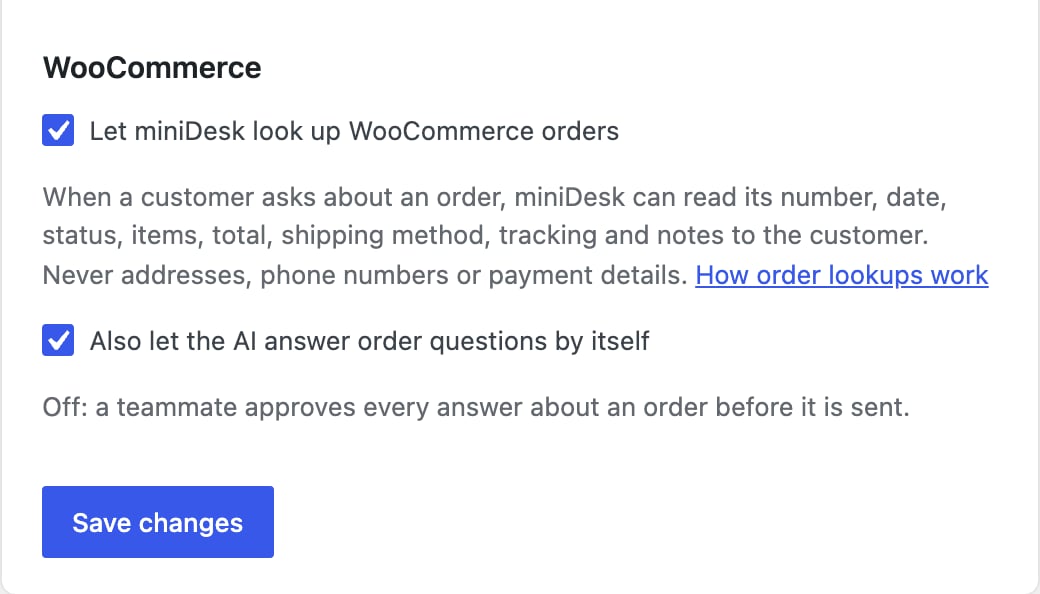
3
Choose whether the AI answers by itself
Tick Also let the AI answer order questions by itself if you want the
AI to send order answers without a teammate approving them first. See
Whether the AI answers by itself.

What the AI can share
- Order number and date
- Status
- Items and quantities
- Order total
- Shipping method
- Tracking numbers and links, including those added by WooCommerce Shipment Tracking and Advanced Shipment Tracking
- Notes you marked as a note to customer
What never leaves your store
- Billing and shipping addresses
- Phone numbers
- Payment details
- Private order notes
- IP addresses and browser details
Who sees order information
The AI only shares orders with someone who has proved they are the customer:- Signed in to your store. A customer signed in to WordPress sees their own orders, up to their five most recent.
- Emailed you. A customer who wrote to your support email address sees the orders billed to that address, up to five. The answer goes back to that mailbox, which is what makes this safe.
- Gave an order number and its email. Anyone who writes both in the conversation sees that one order, if the email is the order’s billing email. This is the same check WooCommerce’s own order tracking page makes.
Whether the AI answers by itself
Also let the AI answer order questions by itself is off until you turn it on.- Off: the AI writes a draft that includes the order information, and a teammate approves it before it is sent.
- On: the AI sends the answer by itself when it is confident and found the order. When it cannot tell whose order this is, it asks the customer for the order number and checkout email by itself too, then looks the order up.
Order answers sent by the AI itself also need Let the AI answer by itself
to be on, under AI replies on the same page. While it is off, a teammate
still approves every order answer. See
Letting the AI answer by itself.
Orders in your inbox
When you open a conversation from a customer of your store, the WooCommerce orders panel shows their recent orders, up to ten, with status, items, tracking, shipping method and notes to the customer. Open in WooCommerce opens the order in your WordPress admin.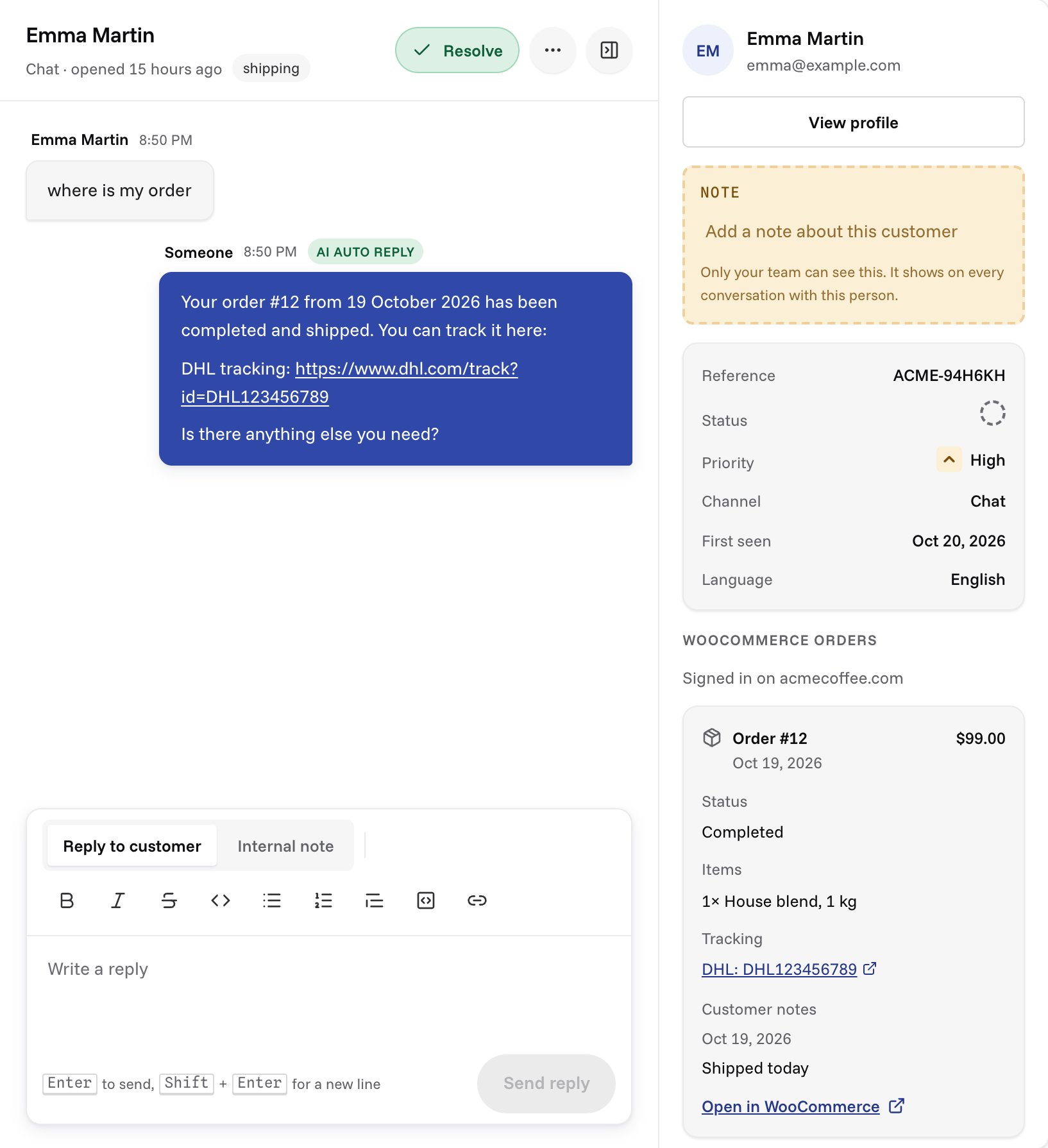
- Signed in on your site: they were signed in to WordPress.
- Emailed from this address: they wrote to your support email.
- Not verified: the customer typed this email: they only typed an email in the chat. Check before sharing anything with them.
Where the switches live
The order switches are on the miniDesk AI page in your WordPress admin, where your store’s owner gives consent. The WooCommerce row on your miniDesk Channels page shows whether they are on and when the last lookup happened, and Open in WordPress takes you to them.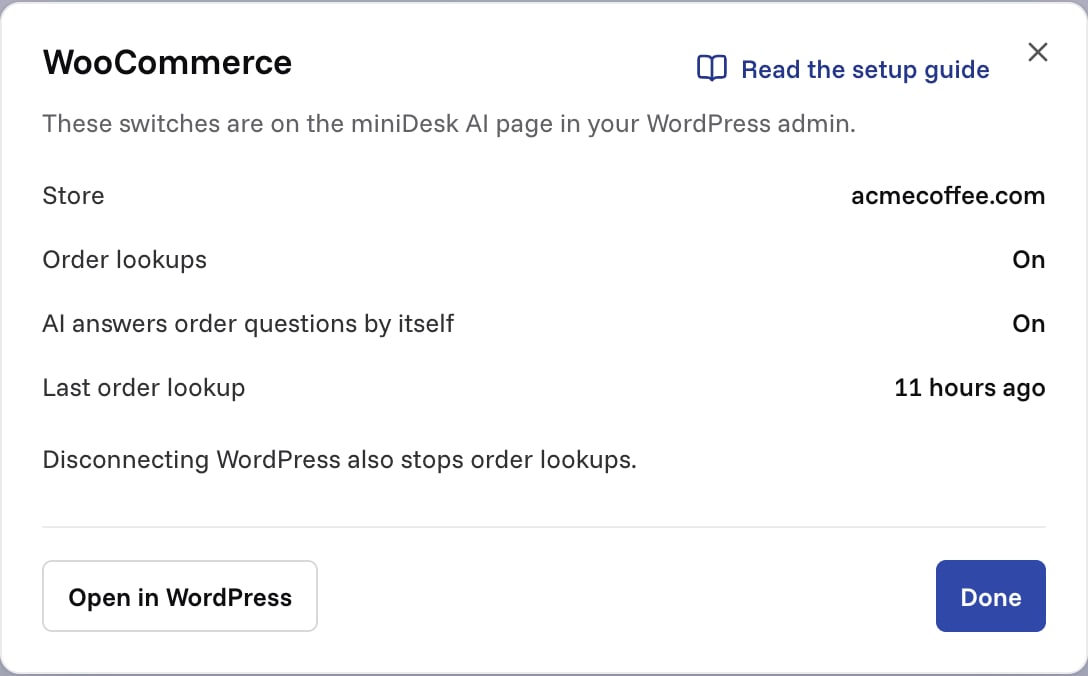
If a security plugin blocks order lookups
miniDesk asks your store for orders through WordPress’s REST API, at/wp-json/minidesk/v1/orders. Some security plugins, such as Wordfence,
iThemes Security or All In One WP Security, block the REST API by default.
If the WooCommerce row on your Channels page says Lookups failing,
allow the minidesk/v1 REST route in your security plugin’s settings. Each
request is signed by miniDesk and lives two minutes at most, so allowing the
route does not open your store to anyone else.
Compatibility
- WooCommerce’s order storage (HPOS) and the older storage both work.
- The plugin never touches your cart or checkout.
- Order lookups need the plugin to be connected. With only a public key, the chat works but orders do not.